4.3 ConTEXT Algorithm
Finding a term in a note is only half the story. “No chest pain”, “father had chest pain” and “return if chest pain develops” all contain chest pain, but none of them says the patient currently has it.
eHOST implements ConText (an extension of the NegEx negation algorithm) to work this out automatically. When you run NLP Assisted Annotation, ConText inspects the sentence around each match and records what it found.
Turning it on
In the NLP Assisted panel, tick any combination of the three boxes on the right:
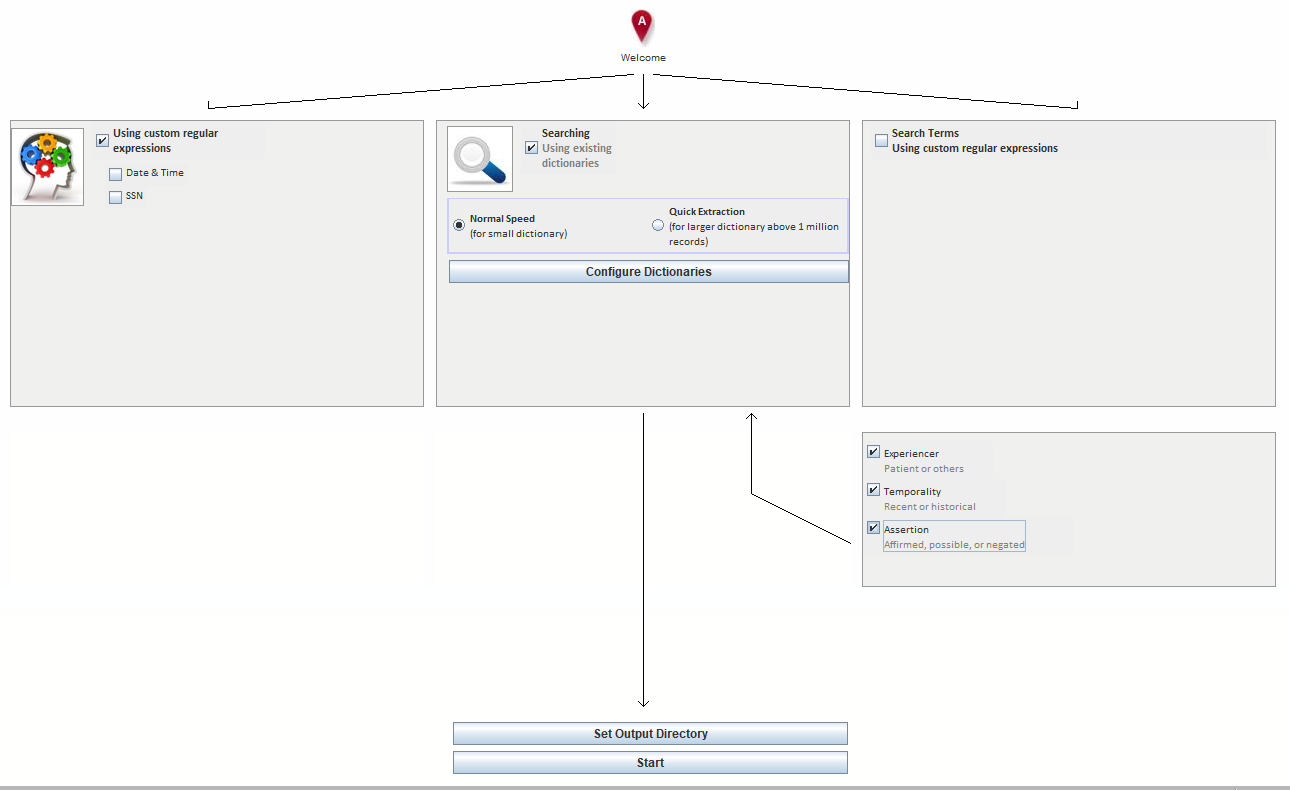
| Checkbox | Question it answers | Typical values |
|---|---|---|
| Experiencer | Is this about the patient or about somebody else? | patient, other |
| Temporality | Is this current or in the past? | recent, historical, hypothetical |
| Assertion | Is this affirmed, uncertain, or denied? | affirmed, possible, negated |
These three checkboxes are only enabled in Normal Speed mode. Selecting Quick Extraction disables them, because that mode does term extraction only.
How each one decides
Experiencer looks for family-relation trigger words near the match — father, mother, dad, mom, sister, brother, aunt, uncle, grandfather, grandmother, and the phrase family history. If one is found in scope, the finding is attributed to somebody other than the patient.
Temporality starts from recent and then:
- Checks for hypothetical triggers (if, return, should he/she, should there, …). If one is
found and the sentence is not negated, the result is
hypothetical. - Otherwise it checks for historical triggers — durations such as
3 days/2 weeks/5 years,for the last 6,over the past 3,since,last. - If a historical trigger is found, it then checks for pseudo-historical triggers — phrases such
as History and physical, History physical, History taking — which are section headings rather
than statements about time. If one of those matches, the result falls back to
recent. - If a genuine historical trigger survives, the result is
historical; otherwiserecent.
Assertion runs the NegEx negation logic over the sentence, distinguishing affirmed findings from possible ones and from those that are explicitly denied.
Where the result ends up
ConText results are attached to the generated annotations as attributes, so they show up in the Annotation Editor’s Attributes panel like any other attribute, and they are compared attribute by attribute in IAA reports (see 3.5 IAA Reports).
To make them easy to review and correct by hand, define matching attributes in your schema before the
run — for example an Assertion attribute with the values affirmed, possible and negated. See
1.5.2 Define Attributes.
Limitations to keep in mind
- Trigger lists are English and clinical-note oriented; they were tuned on discharge summaries and similar documents.
- Scope is decided per sentence. A finding whose negation lives in the previous sentence will be missed.
- ConText is an aid, not an oracle. Treat its output as pre-annotation to be reviewed, the same way you treat dictionary hits.
Further reading
- Chapman WW, Chu D, Dowling JN. ConText: An algorithm for identifying contextual features from clinical text. BioNLP 2007.
- Chapman WW, Bridewell W, Hanbury P, Cooper GF, Buchanan BG. A simple algorithm for identifying negated findings and diseases in discharge summaries. J Biomed Inform. 2001.