eHOST Documentation

Home

1. Installation and Quick Start

  • 1.1 Prerequisites
  • 1.2 Launching eHOST
  • 1.3 Assign Workspace and Project
    • 1.3.2 Create a Project
  • 1.4 Load Documents
  • 1.5 Create Annotation Schema
    • 1.5.1 Define Classes
    • 1.5.2 Define Attributes
    • 1.5.3 Define Relationships
  • 1.6 Create Annotations
    • 1.6.2 Assign Attribute
    • 1.6.3 Create Relationship
  • 1.7 Save Annotations

2. Basic Features

  • 2.1 Workspace and Project
  • 2.2 Viewer
  • 2.3 Editor
  • 2.4 Import Annotations
  • 2.5 Annotation Operations
    • 2.5.1 Add/Delete/Modify Annotations
    • 2.5.2 Add/Delete/Modify Class
    • 2.5.3 Add/Delete/Modify Attributes and Values
    • 2.5.4 Add/Delete/Modify Relationship
  • 2.6 Assign Annotator
  • 2.7 Save Annotations
  • 2.8 System Configuration

3. Advanced Features

  • 3.1 Annotation Review and Curation
  • 3.2 Annotation Profile
    • 3.2.1 Generating Graph of Position Indicated
  • 3.3 Error Checking
  • 3.4 Oracle (Annotations Like Me)
  • 3.5 IAA Reports
  • 3.6 Adjudication Mode
    • 3.6.1 Resume or Restart Adjudication
    • 3.6.2 Adjudication Data Storage
  • 3.7 Viewing and Sharing Reports

4. Beyond Manual Annotation

  • 4.1 Pre-annotations from a Dictionary
  • 4.2 Pre-annotations from Regular Expressions
  • 4.3 ConTEXT Algorithm

5. Reference

  • 5 Glossary
  • RESTful Server Guide

1.6.2 Assign Attribute

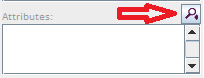
  1. Select “extensive work” then click under the Attributes tab at the right side EDITOR Panel.

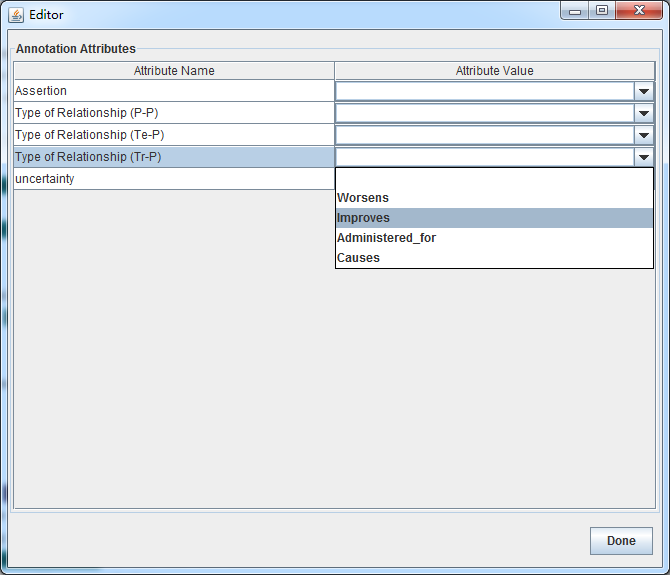
  2. Select an attribute Name and pickup an attribute value, then press “Done”.
    eHOST: Extensible Human Oracle Suite of Tools - A comprehensive annotation platform

    Most of these instructions are based on https://github.com/chrisleng/ehost/wiki