3 Advanced Features
3.1 Annotation Review and Curation
-
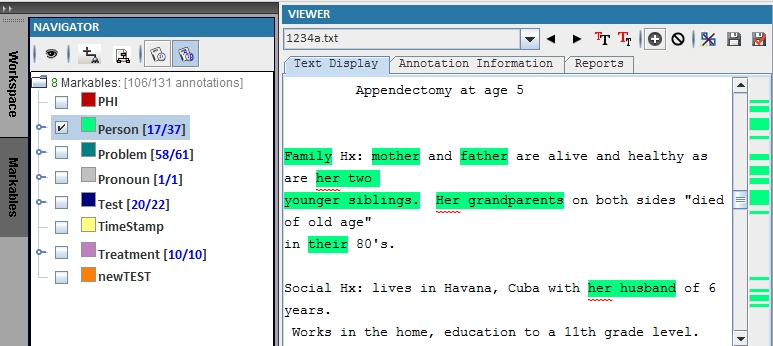
Click Markables
-
Select “Person” to see the only the Person class is selected.
-
The right bar shows the position for “Person” in current document.
-
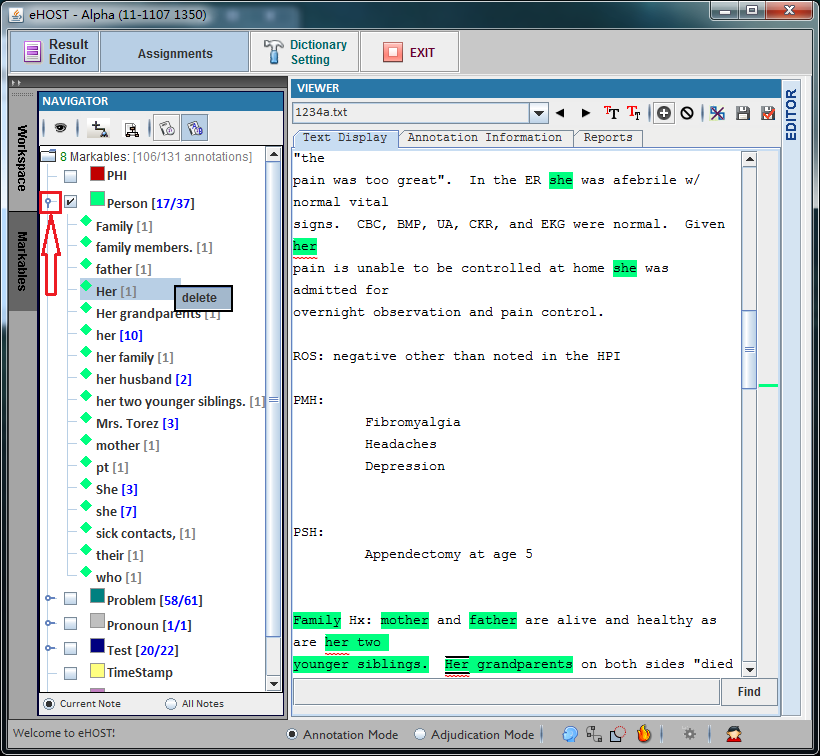
Click in the pane to expand and folder the list of class “Person”.
-
Double Click “Her” to check the annotation.
-
Right Click the selected sub class “Her” to delete the current annotation.