1.6 Create Annotations
1.6.1 Create Class Annotation
Regular Annotate:
-
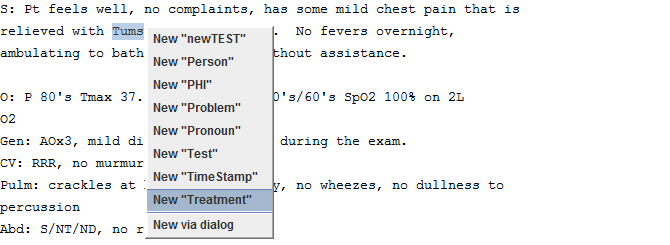
Highlight a span of text corresponding to a “Tums”mention.
-
Select “New Treatment” from the pop-up dialogue to create the new annotation.
Fast Annotate
-
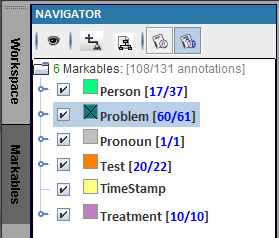
Right-click the colored box next to “Problem”.
-
Highlight a span of text corresponding to a “Problem” mention to create the new annotation.
-
Repeat step 2 for multiple “Problem” annotations.
-
Right-click the colored box next to “Problem” to unselect, or another class to switch to another class.