2.3 Editor
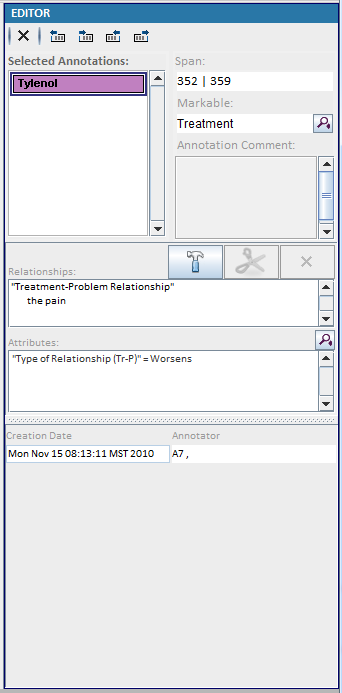
- a) Delete the selected annotations
- b) Move the start of the annotation one character to the left.
- c) Move the start of the annotation one character to the right.
- d) Move the end of the annotation one character to the left.
- e) Move the end of the annotation one character to the right.
- f) Show the span for the current annotation
- g) The markable for the current annotation. Click to modify the markable.
- h) Enable or disable the relationship building.
- i) Edit selected relationship
- j) Delete selected relationship
- k) Assigned attributes for the selected annotation.
The attributes are listed in the order of the schema configuration file. You can list them alphabetically instead, or keep the raw order of the annotation file, in 2.8 System Configuration.
When two annotations are shown side by side — in adjudication mode, or after clicking the diff button — the attributes whose values are not the same in both annotations are shown in bold dark red on both panels, so a disagreement is visible at a glance. That highlighting can be turned off in 2.8 System Configuration.